Empower Your Cleaning Team
Our mobile app provides cleaners with all the tools they need to manage schedules, track time, submit expenses, and access job details on-the-go.
Download the Cleaner App:

Mobile Features Built for Professional Cleaners
Our mobile app is designed specifically for cleaning professionals, providing the tools they need to excel in their daily work
Schedule Management
Cleaners can view their upcoming jobs with all necessary details, including customer information, location, and job requirements.
Time Tracking
Clock in and out of jobs with ease, track task completion times, and manage breaks - all automatically synced with the main system.
Time Off Requests
Submit time off requests directly from the app and get notified when they're approved or declined by management.
Expense Tracking
Submit expense requests with photo receipt uploading, track approval status, and manage reimbursements efficiently.
Complete Job Information at Your Fingertips
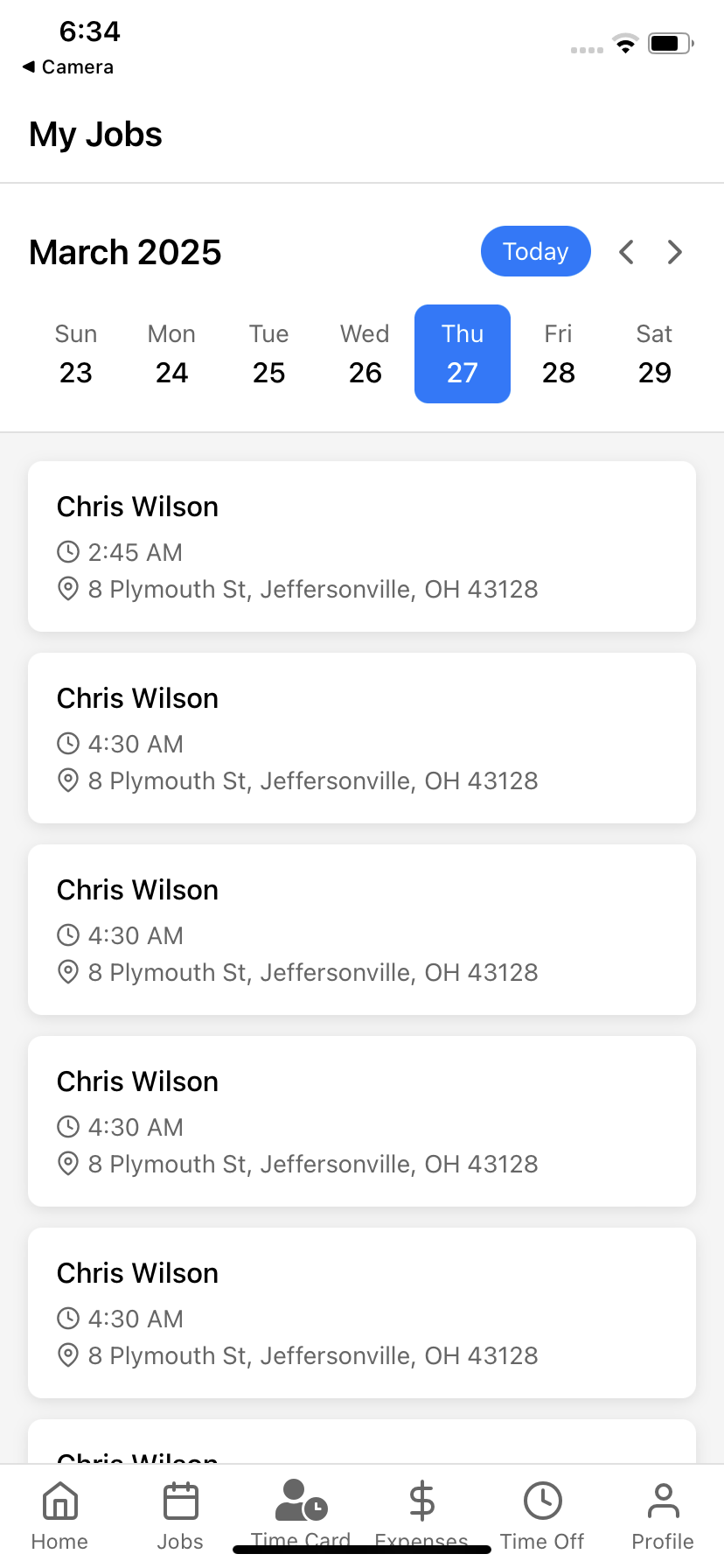
The Schedule view provides cleaners with a clear overview of all upcoming jobs, including detailed information about each appointment.
Schedule Features
Our mobile schedule view is designed to give cleaners everything they need to be prepared for each job.
Calendar view with color-coded job status indicators
One-tap access to detailed job information
Built-in navigation to job locations
Customer contact details for quick communication
Detailed Job Information
Tapping on any job provides a comprehensive view with all the details cleaners need to prepare for their work.
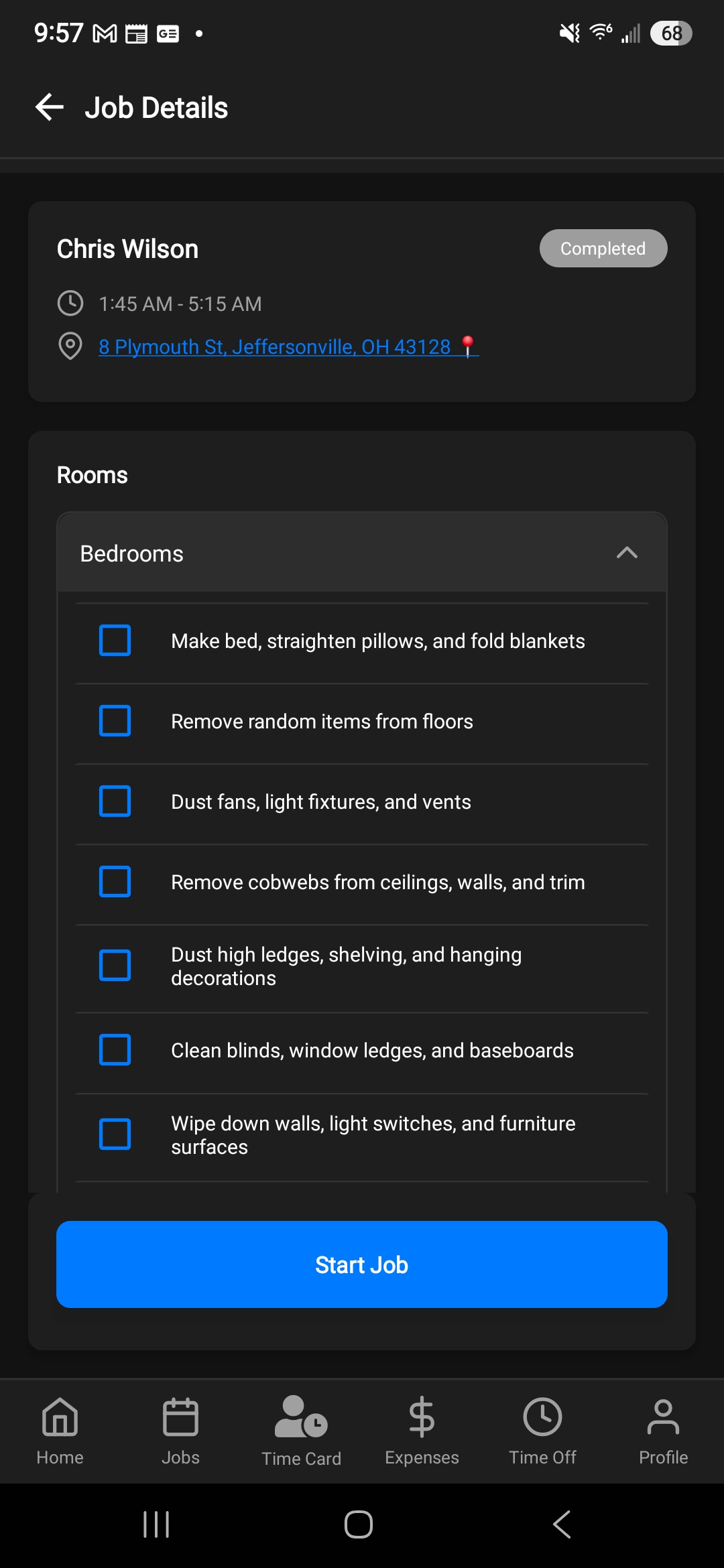
Comprehensive Details Include:
Customer information and preferences
Special instructions for the cleaning
Job duration and estimated completion time
Job-specific checklists
Simplified Request Management
Our app makes it easy for cleaners to submit time off and expense requests, so they can manage their work-life balance and track business expenses right from their phone.
Key Features
Submit time off and expense requests with ease directly from the mobile app.
Submit time off requests with a few taps
Upload receipt photos directly in the app
Track approval status in real-time
View history of all past requests
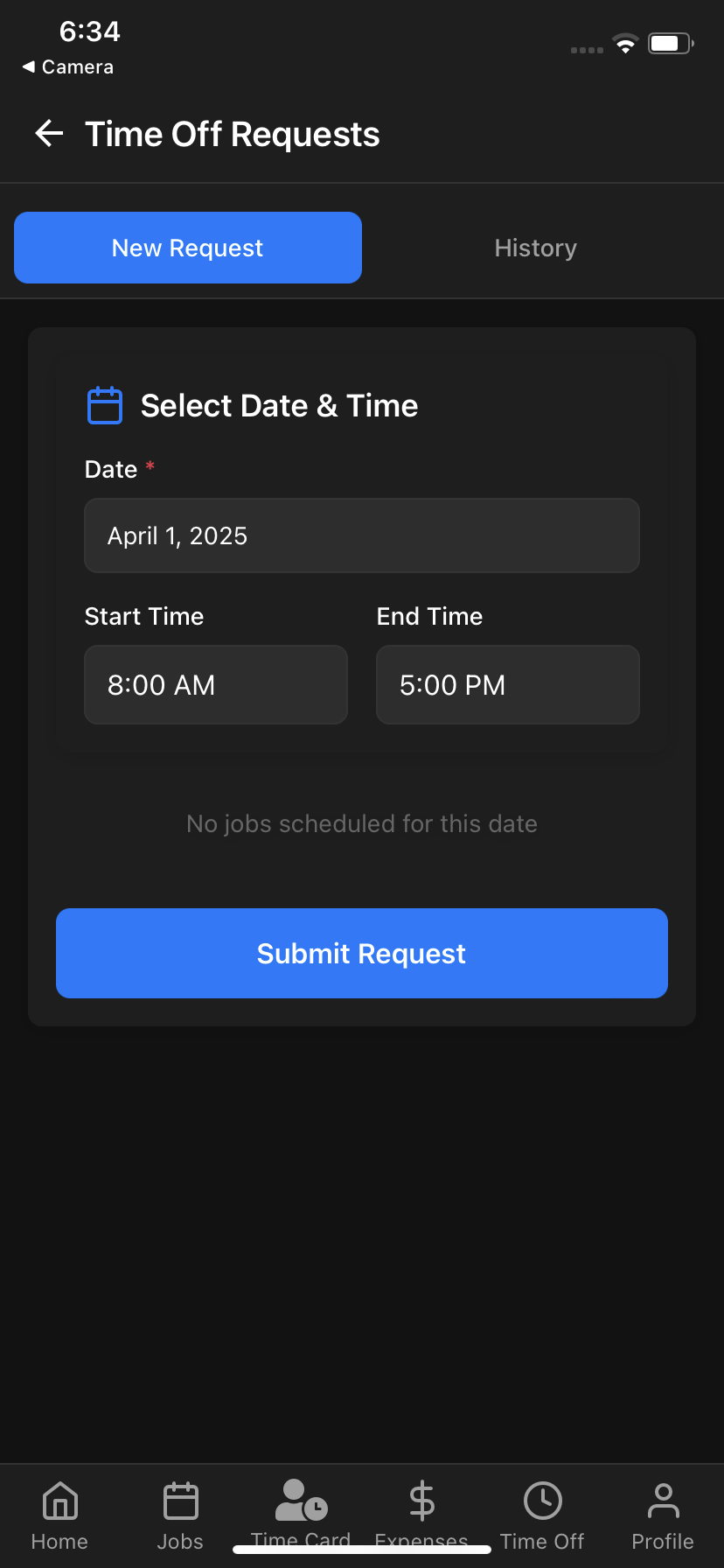
Time Off Request Screen
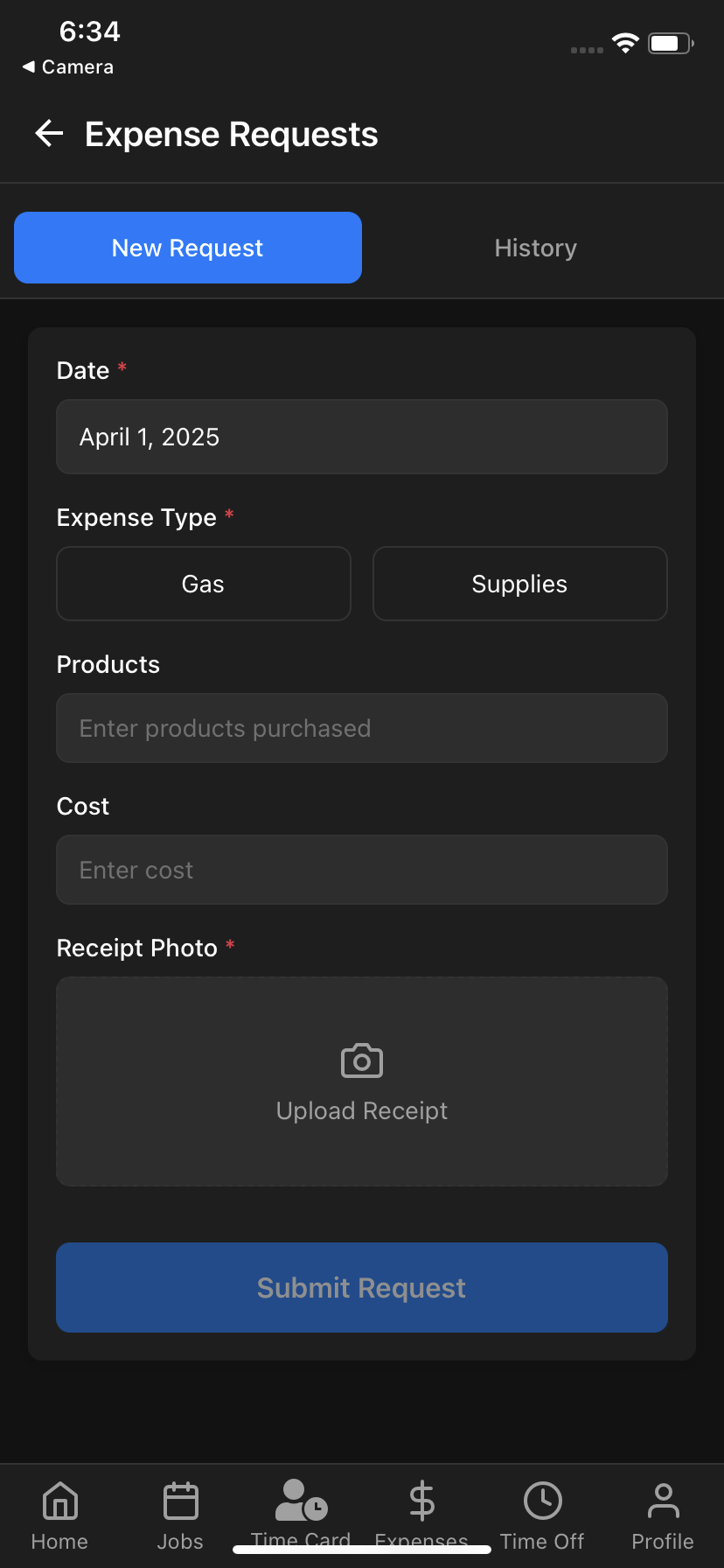
Expense Request Screen
Simple Request Processes
Both time off and expense requests are designed to be intuitive and quick to submit, with built-in validation to ensure all required information is provided.
Time Off Requests
Date and time selection for needed time off
Automatic conflict detection with scheduled jobs
Status tracking for all submitted requests
Push notifications for request updates
Expense Requests
Photo uploading for receipts
Multiple expense categories
Detailed description fields
Reimbursement status tracking
Accurate Time Tracking
The time tracking feature allows cleaners to clock in and out of jobs with ease, ensuring accurate payroll calculations and job time management.
Time Tracking Features
Our time tracking system is designed to be simple yet powerful, giving cleaners the tools they need to manage their time effectively.
One-tap clock in/out functionality
GPS verification of cleaner location
Break time tracking
Automatic syncing with payroll system
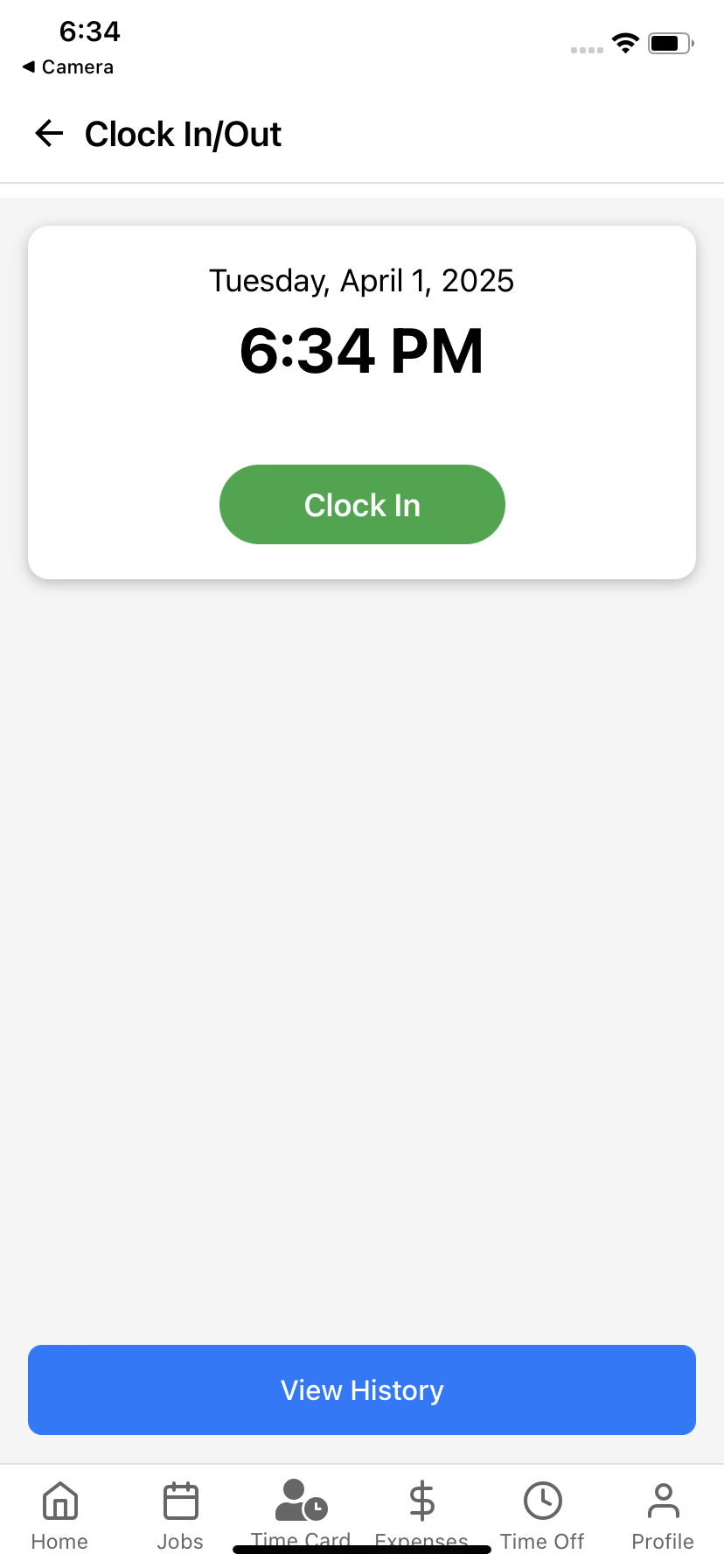
Smart Time Tracking Features
Our time tracking system includes intelligent features to help cleaners manage their time effectively and ensure accurate records.
Job Reminders
Automatic notifications before scheduled jobs ensure cleaners are prepared and on time
Photo Verification
Upload before/after photos for job verification and quality assurance
Task Tracking
Complete interactive job-specific checklists to ensure quality standards
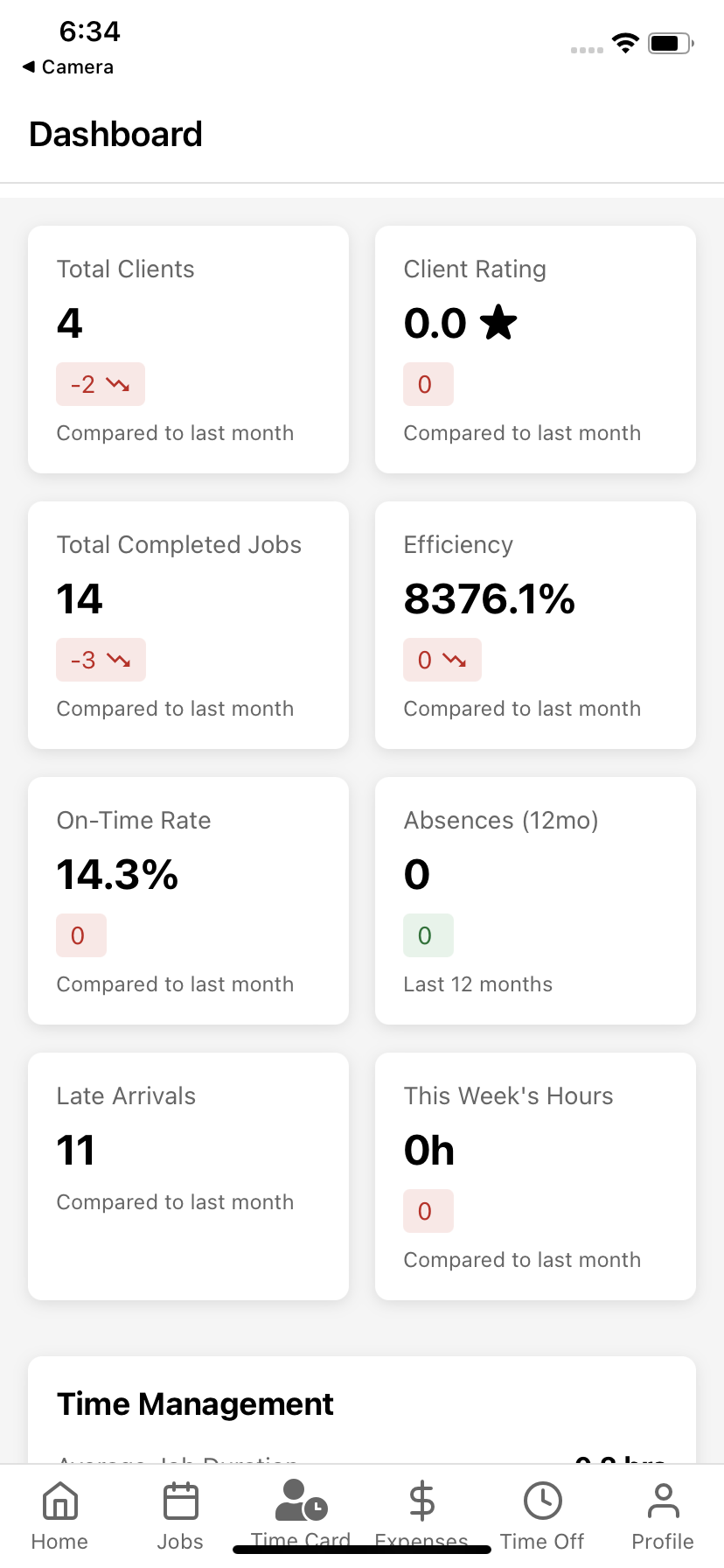
Personalized Dashboard Experience
Our cleaner dashboard provides a comprehensive overview of each cleaner's performance, upcoming jobs, and important notifications all in one place.
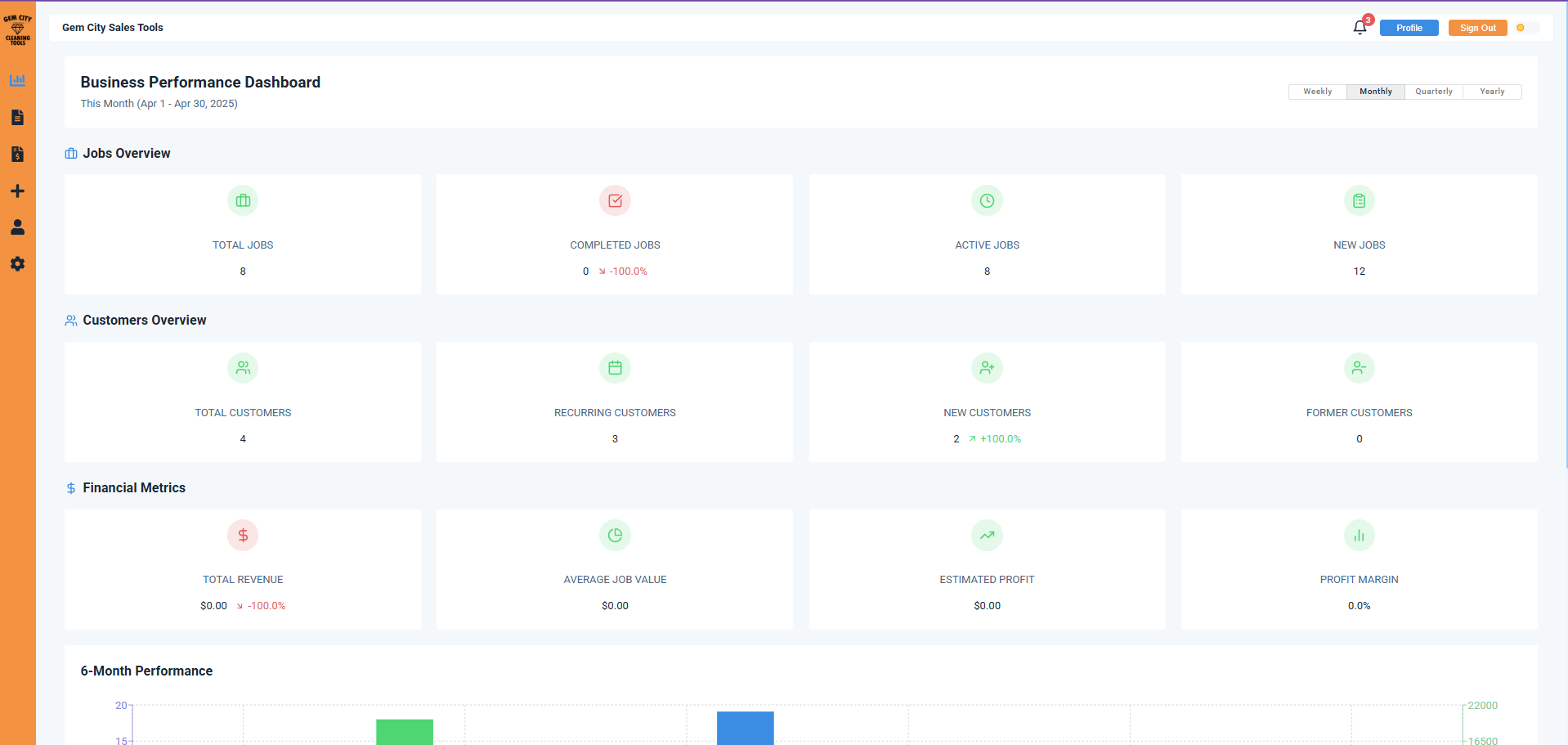
Light Mode Dashboard
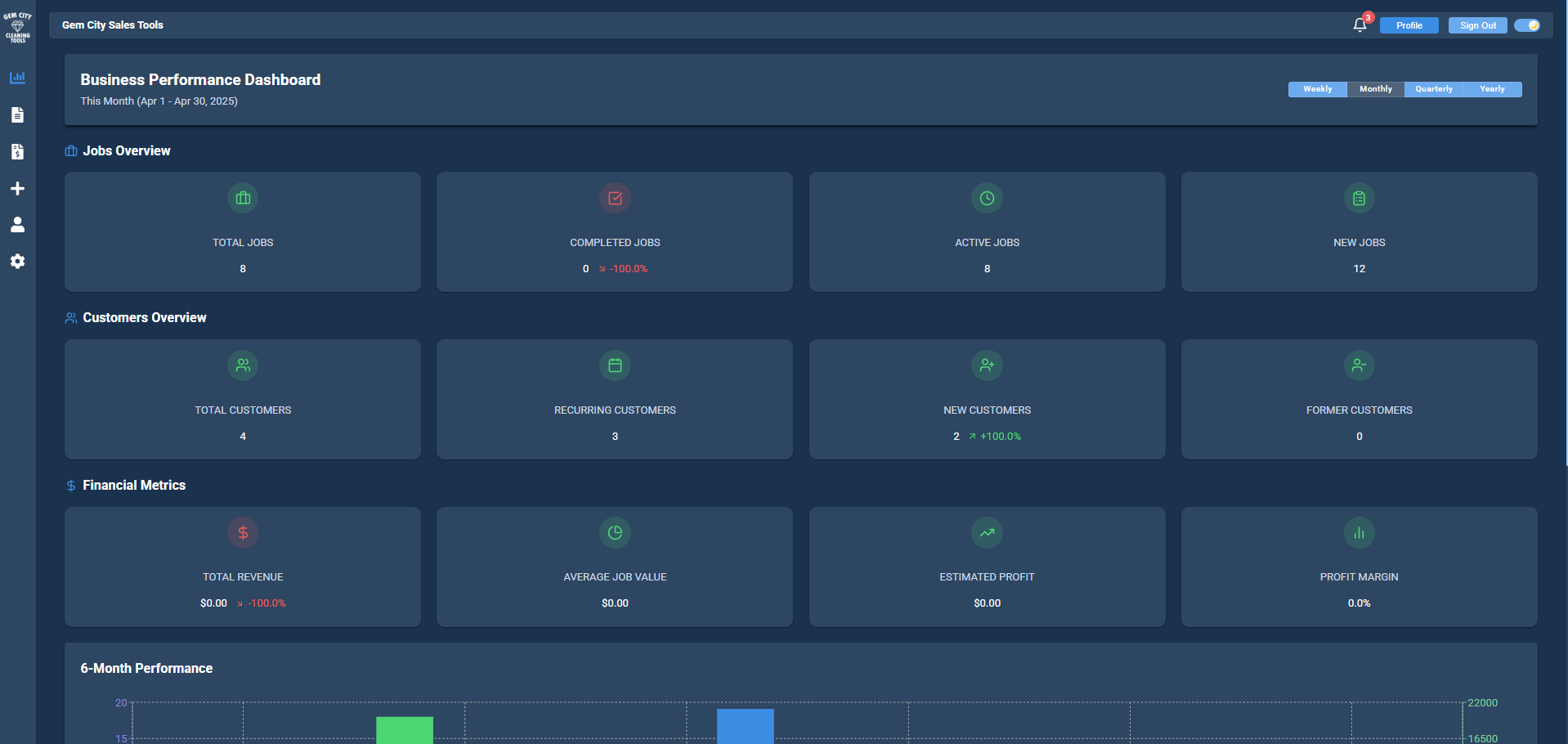
Dark Mode Dashboard
Comprehensive Performance Overview
The dashboard provides cleaners with their performance metrics, job statistics, and upcoming schedule at a glance.
Job Statistics
Weekly and monthly completed job counts with trend comparison
Earnings Overview
Current pay period earnings with comparison to previous periods
Next Job Details
Quick access to information about upcoming appointments
Dashboard Key Features
The dashboard is designed to provide cleaners with all the information they need at a glance, in a visually appealing and easy-to-navigate format.
Light and dark mode for comfortable viewing anytime
Performance metrics compared to previous periods
Quick access buttons for common tasks
Real-time notifications for schedule changes
Ready to Empower Your Cleaning Team?
Start using our mobile app today to run tighter cleaning operations, boost productivity, and improve communication with your team.
No credit card required. 14-day free trial.
Download the Cleaner App Now:
Frequently Asked Questions
The Gem City Cleaning Tools mobile app is available for free download on both the Apple App Store for iOS devices and Google Play Store for Android devices. Simply search for "Gem City Cleaning Tools" or click the download buttons at the top of this page.
Our mobile app is available for both iOS and Android devices. It works on smartphones and tablets, providing full functionality across all supported devices.
Yes, cleaners can easily clock in and out directly from job sites using the mobile app. The app includes GPS verification to ensure accurate time tracking and location confirmation.
Cleaners can view their complete schedule, upcoming jobs, and job details through the app dashboard. They receive push notifications for schedule updates and can access job information even when offline.
Yes, cleaners can submit time-off requests directly through the mobile app. These requests are automatically sent to managers for approval and update the scheduling system in real-time.
Cleaners can log expenses, upload receipt photos, and categorize expenses directly in the app. All expense data is automatically synchronized with the main system for payroll and accounting purposes.
Yes, cleaners can access job details, schedules, and basic features even when offline. Data syncs automatically when internet connection is restored.
The app includes messaging features that allow cleaners to communicate directly with office staff, report issues, ask questions, and receive updates in real-time.
Yes, cleaners can take and upload before/after photos directly through the app. These photos are automatically attached to job records for quality verification and client communication.
The mobile app includes a personalized dashboard showing each cleaner their performance metrics including jobs completed, earnings tracking, customer ratings, and completion rates. This real-time visibility helps cleaners track their productivity and income, promoting accountability and motivation while allowing them to monitor their personal performance goals.
The mobile app is designed to be intuitive and user-friendly, requiring minimal training. Most cleaners can learn the basic functions within minutes. We provide quick-start guides, video tutorials, and in-app help tooltips to support new users. The simple interface focuses on the essential daily tasks cleaners need - viewing schedules, clocking in/out, and accessing job details.

The most comprehensive business management platform built specifically for cleaning companies. We help you grow faster, save time, and increase profits.
© 2026 Gem City Cleaning Tools LLC. All rights reserved.
Contact Us: info@gemcitycleaningtools.com
Cookie Settings