Gem City Cleaning Tools Mobile App: Now on iOS and Android
Manage your cleaning business from your phone. Gem City Cleaning Tools' native app is free on iOS and Android with offline access and GPS time tracking.
Chris Wilson
You're between jobs, a client calls to reschedule, and your laptop is at home. You pull out your phone, open a browser, pinch-zoom into a form, and try to make it work. That's not managing a business — that's fighting with your tools.
That's why we built the Gem City Cleaning Tools native mobile apps — and they're now available for free on both the Apple App Store and Google Play.
There are actually two apps: one for business owners and admins, and a separate one for your cleaners. Both are free to download.
Why a Native App Changes Everything
A mobile website squeezed onto a phone screen is not the same as software built for your phone. Here's what's different:
- Instant launch — The app opens immediately and stays responsive. No page loads, no waiting for a browser to catch up.
- Offline access — View your schedule, client details, and job information without cell service. Data syncs automatically when you reconnect.
- Push notifications — Get instant alerts for time-off requests, client requests, expense submissions, and schedule changes without keeping a browser open.
- GPS time tracking — Your cleaners clock in and out with location verification built right into the app. You see exactly where shifts start and end.
- Home screen access — One tap and you're in. No bookmarks, no URLs, no re-entering passwords.
Free to download. Both the admin app and the cleaner app are free on iOS and Android. Your existing account works immediately — just log in.
What Admins Get: Your Full Operation in Your Pocket
The admin app has five main sections accessible from the bottom navigation: Dashboard, Calendar, Payroll, Invoices, and Create Job.
Dashboard
Open the app and your numbers are right there. Total jobs, completed, in progress, pending, and cancelled — broken down by week, month, or quarter. Below that, your financial overview shows revenue trends, customer counts, and active cleaners. Pull down to refresh anytime. If you want to go deeper than the dashboard totals, see 7 KPI reports every cleaning business should track →.
Calendar With Availability Gap Cards
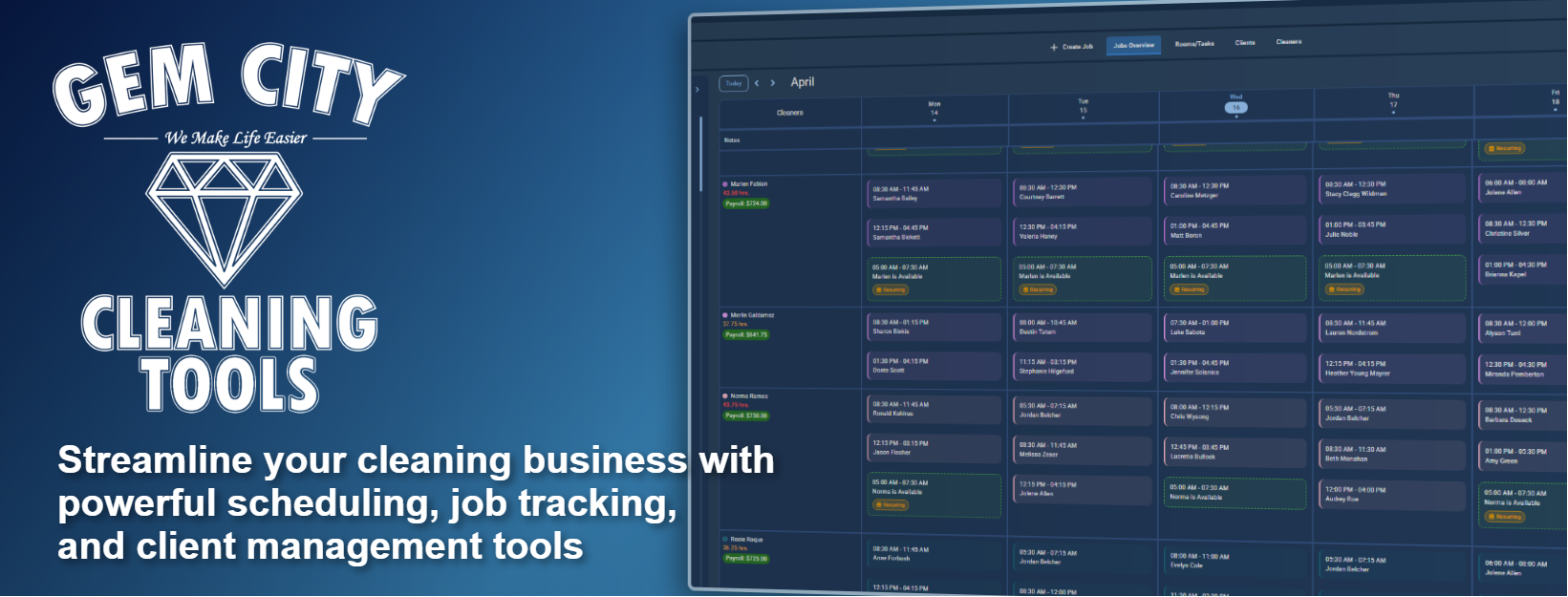
The calendar gives you a weekly view of every cleaner's schedule. Jobs display as cards with status indicators so you can see at a glance who's working where and when. More importantly, availability gap cards highlight unscheduled time slots — so you can immediately see where you have room to book more work. You can also view and manage time-off requests and client requests directly from the calendar. These are exactly the kind of details that hide in a normal calendar — see 5 scheduling red flags every cleaning business owner misses → for what to watch for.
Payroll and Time Tracking
The payroll section has two views: Today and Weekly. The daily view shows every active and completed time entry for the current day — who clocked in, when, where (with GPS coordinates), shift duration, pay rate, and total pay. The weekly view gives you a per-cleaner breakdown of total hours and pay across your entire team.
Each time entry captures:
- Clock-in and clock-out timestamps
- GPS location for both check-in and check-out
- Shift duration calculated automatically
- Pay rate and total pay per entry
- Entry status (active or completed)
You can also view location history on a map and edit time entries if corrections are needed. That same clock-in/clock-out data is what powers per-cleaner profitability — see how to know which cleaners are actually profitable → if you haven't run those numbers yet.
Expense tracking built in. Your cleaners can submit gas, supply, and mileage expenses with photo receipts right from their app. You review, approve, or deny them from yours.
Invoicing
Create, view, and send professional invoices without opening a laptop. The invoice section includes your full invoice list with filtering, the ability to create new invoices, deposit tracking, payment processing, and email delivery with history tracking. You can also manage your products, tax rates, and invoice settings from the app.
Job Management
Tap the Create tab and build a new job on the spot — assign cleaners, set the customer, add service details, and schedule it. From job details you can update status, manage deposits, send notifications, and track the full history. If the job details came in as an email or text instead of a clean form, the AI Job Parser can fill most of this out for you.
Customer and Team Management
Access your complete customer list with search, view detailed profiles with contact info and service history, and manage addresses with automatic geocoding. On the team side, browse your cleaners, view individual performance stats, manage roles, and handle time-off requests.
Notifications
A built-in notification center keeps you on top of everything:
- Time-off requests from cleaners
- Client service requests
- Expense submissions needing approval
- Cancellation notices
- Rating reminders
What Your Cleaners Get: A Separate App Built for Them
Your cleaning team downloads a different app — Gem City Cleaning Tools CLR — designed specifically for their role:
From the cleaner app, your team can:
- View their assigned schedule with job details, addresses, and special instructions
- Clock in and out with GPS verification from job locations
- Submit time-off requests that go directly to your notification center
- Submit expense requests with photo receipts for gas, supplies, and mileage
- See their own time entries with hours and pay calculations
The cleaner app shows only what's relevant to their role — they don't see your financials, customer lists, or other cleaners' data.
How to Get Started
Step 1: Download the Admin App
- iPhone or iPad: Download from the App Store (iOS 15.1+)
- Android: Download from Google Play
Step 2: Log In or Sign Up
Already have a Gem City Cleaning Tools account? Log in with your existing email and password. New? Create a free account right in the app.
Step 3: Share the Cleaner App With Your Team
Send your cleaners the link to the cleaner app:
- iPhone: Gem City Cleaning Tools CLR on the App Store
- Android: Gem City Cleaning Tools CLR on Google Play
They log in with the team credentials you create for them.
Step 4: Start Managing
Your dashboard, calendar, jobs, invoices, and payroll are all synced and ready. Dark mode is available if you prefer it — toggle it in Settings and the preference stays saved.
Already using the web version? Your data is already synced. Log in to the app and everything — jobs, clients, invoices, time entries — is right where you left it. No migration needed.
Built for the Field
Most cleaning business software was designed for someone sitting at a desk. That's not how this industry works. You're in your car between jobs. You're at a client's house when the phone rings. You're approving a time-off request from the couch at 9 PM.
The Gem City Cleaning Tools mobile apps were built for those moments. They're fast, they work offline, and they put your entire operation one tap away.
Need help getting started? We offer free onboarding — we'll personally walk you through the app, import your data, and make sure you're set up for success. Book a free demo to get started.
Frequently Asked Questions
Is the Gem City Cleaning Tools app free to download?
Yes. Both the admin app and the cleaner app are free to download on iOS and Android. You can start with the Free plan (1 admin + 1 cleaner) at no cost. The Professional plan at $88/month includes all features and 6 users.
Why are there two separate apps?
The admin app gives business owners full control — dashboard, invoicing, calendar, payroll, customer management, and settings. The cleaner app is streamlined for field workers — schedule, time clock with GPS, expense submissions, and time-off requests. Separating them keeps each experience focused and prevents cleaners from accessing business financials.
Will my existing data show up in the app?
Yes. The app syncs with the same account you use on the web. All your jobs, clients, invoices, and time entries are there the moment you log in. No migration or manual import required.
Does the app work without internet?
Yes. You can view your schedule, client details, and job information offline. Data syncs automatically when you reconnect. Time clock entries and other changes are saved locally and uploaded once service is restored.
What devices are supported?
The admin app supports iPhone and iPad running iOS 15.1 or later, and Android devices. The cleaner app has the same requirements. Both apps are under 50 MB.
Can I create jobs and invoices from the app?
Yes. You can create new jobs, manage your calendar, generate invoices, process payments, and send invoices to clients — all from your phone.
How does GPS time tracking work?
When a cleaner clocks in or out from the cleaner app, their GPS coordinates are captured automatically. You can view the exact location for each clock-in and clock-out on a map from the admin app, along with shift duration, pay rate, and total pay.
Does the app support dark mode?
Yes. Both apps include a dark mode toggle in Settings. Your preference is saved and persists across sessions.
About the Author: Chris Wilson is the founder of Gem City Cleaning Tools and owner of a residential cleaning company in Dayton, Ohio. He built the platform after experiencing firsthand how difficult it is to manage a cleaning business from a phone — and decided to fix it.